Changelog
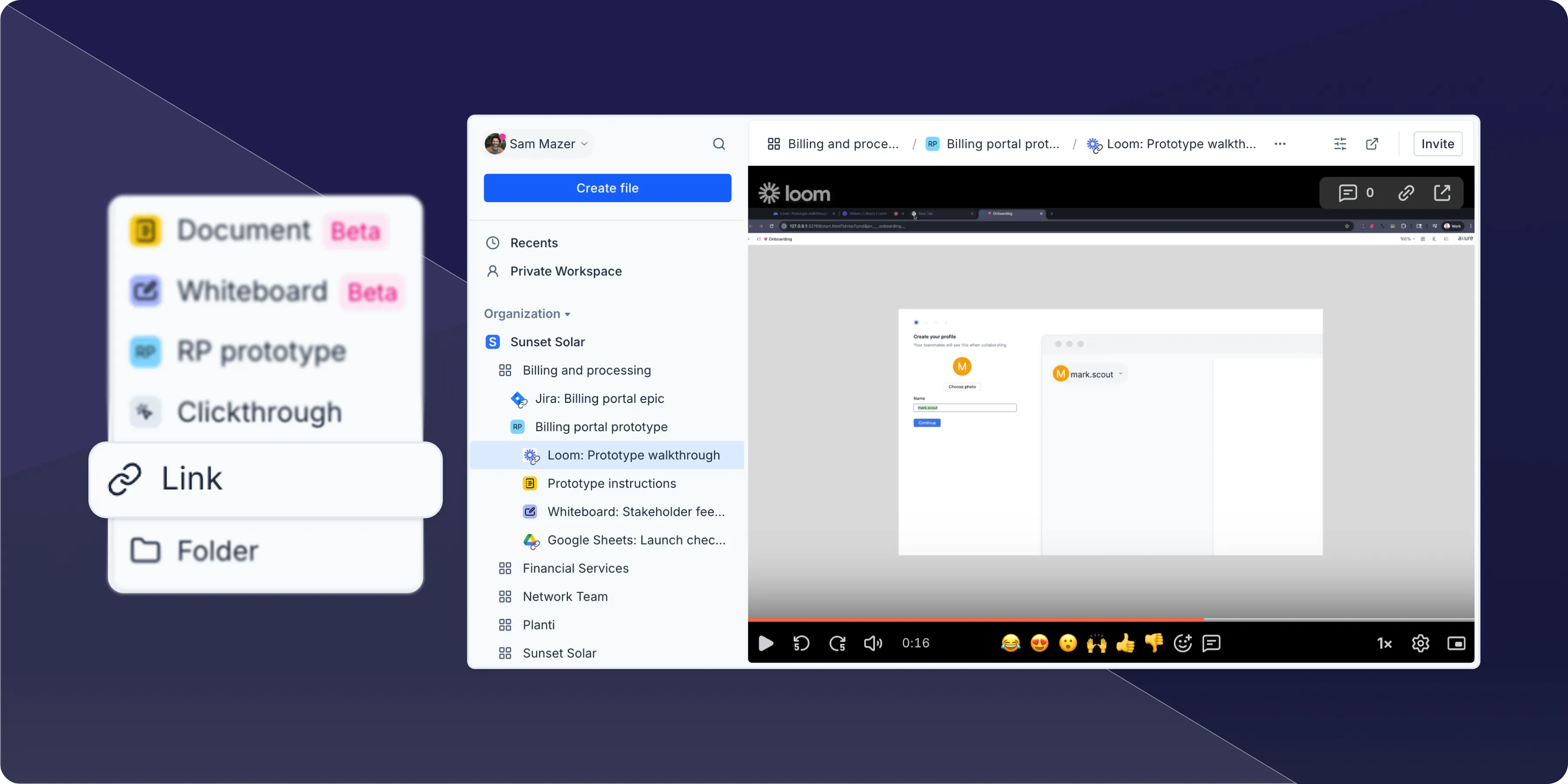 You can now create links to any web-based resources—Confluence docs, Jira tickets, Figma designs, Loom recordings—so everything you need stays organized alongside your Axure RP prototypes. Share your workspace with others and give them access to all the resources required for building, creating a centralized hub for your work.
Embed option added to slash menu
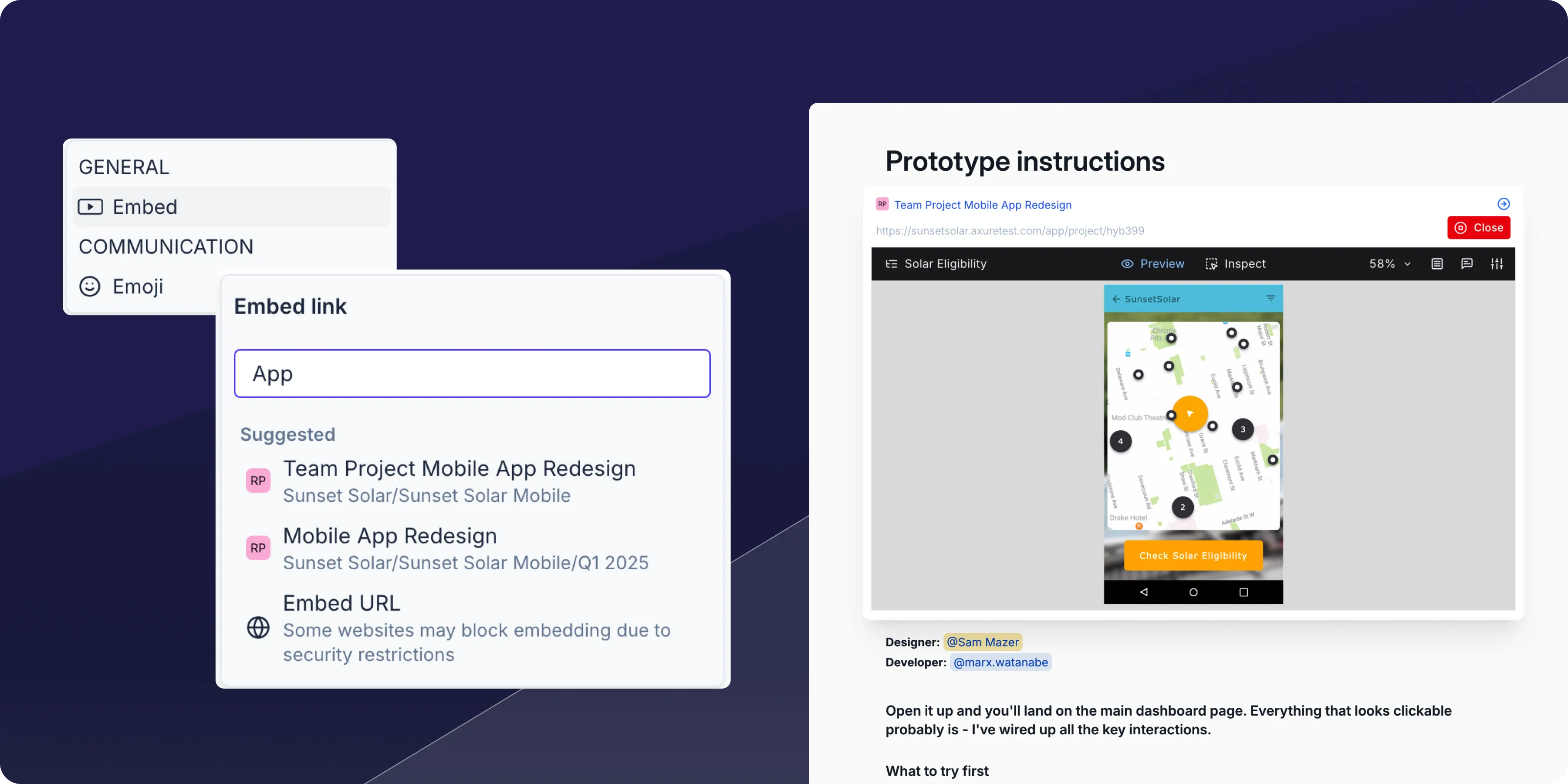
Easily embed Axure prototypes or any web link into whiteboards and documents with the new embed option in your slash menu. Simply type / and select embed to bring external content directly into Axure document or whiteboard.
Smarter connectors for whiteboards
Connectors are now much more intuitive to use. Previously, you had to be very precise with placement—sometimes missing the target and ending up with a connector drawn on top of an object without any actual connection made. Now connectors automatically snap to the nearest connection point, so you no longer have to aim perfectly. You can also connect directly to widgets themselves, and the connector will intelligently choose the best connection point and adjust automatically as you move elements around your canvas.
Improvements (2)
- Google authentication: – You can now accept workspace invites and sign in using your Google account, making it faster to join teams and access your work.
- Member conversion: – Guests are now clearly tagged in the workspace dialog and can be easily upgraded to full members after being invited.
Bug fixes (2)
- Fixed missing document and whiteboard options in the Create File dialog when selecting folders
- Resolved issue where projects would unexpectedly expand and focus in the sidebar when opened in new tabs
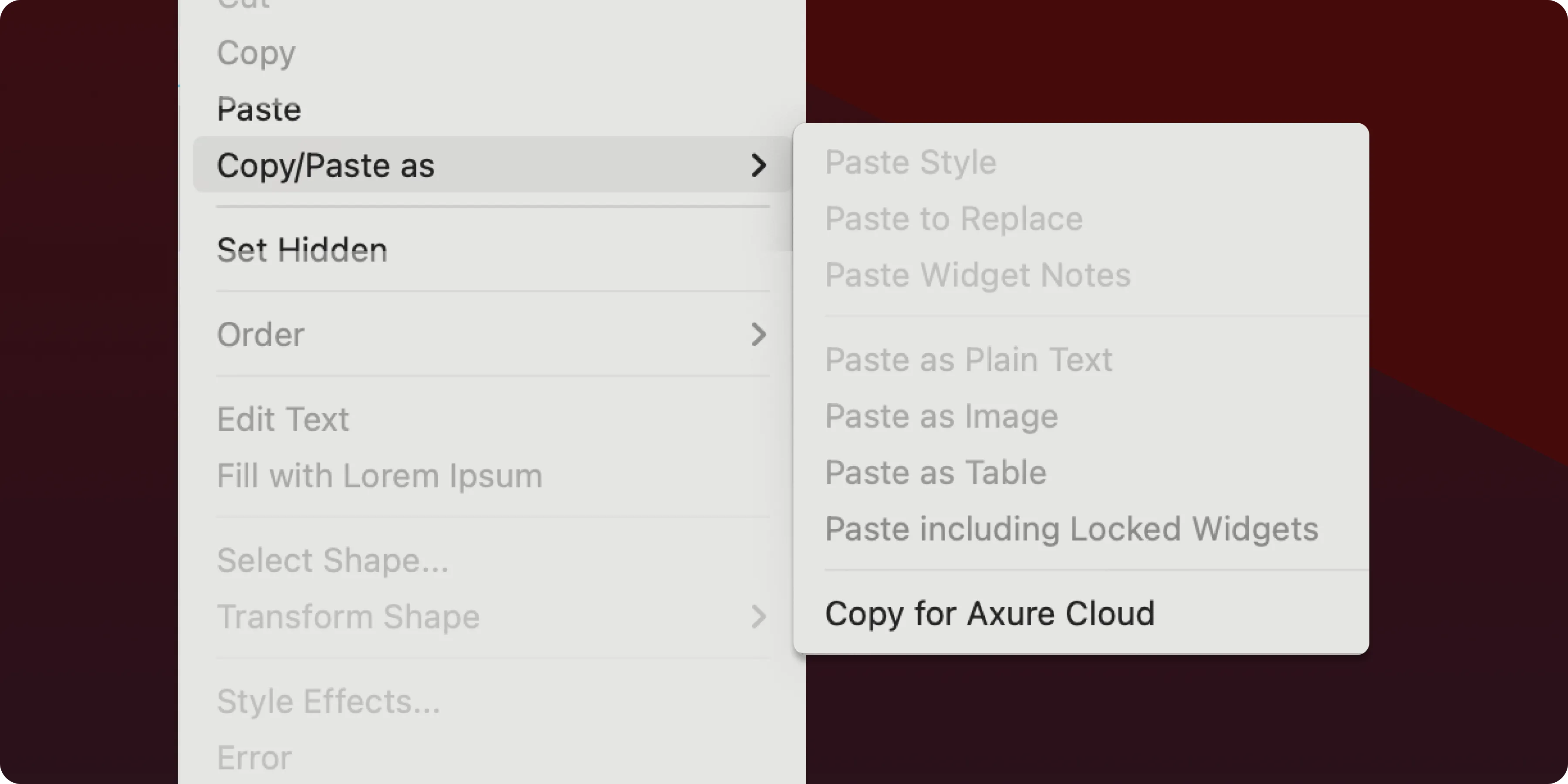
It's easier to move from detailed prototypes to collaborative whiteboarding sessions. Select any content in your RP file, choose "Copy for Axure Cloud" from the "copy/paste as" menu, then paste directly into your Axure Cloud whiteboard.
Improvements (1)
- Publish directly under any nested file structure when publishing to Axure Cloud
Bug fixes (11)
- Fixes Apply Style action not working correctly when using widget styles and certain widget types
- Fixes Apply Style action adding border incorrectly if widget originally had no borders
- Fixes incorrect border width on line widgets targeted from Apply Style or style effects
- Fixes exception copying a widget with an empty Apply Style interaction
- Fixes widget style names getting truncated in dropdown menus after reopening the dropdown
- Fixes nested component preventing interactions if widget was behind the component
- Fixes thumbnail preview in target dropdown not working when parent group was hidden
- Fixes incorrect line height when pasting to/from RP and whiteboards
- Fixes exception deleting all global variables
- Fixes de-selecting widgets with Shift not working
- Fixes tooltips getting stuck on the screen
Improvements (2)
- Comment reply field is focused when clicking on comment
- New ability to assign a Cloud for Business subscription to Axure Cloud for Business subinstance by pasting the subscription code
Bug fixes (10)
- Fixes inspect not working for clickthroughs
- Fixes first duplicate of whiteboards/documents not working
- Fixes number shortcuts to apply opacity in whiteboards
- Fixes artifacts left on canvas when moving sectioned/grouped connectors in whiteboards
- Fixes artifacts left on canvas when copying/pasting or duplicating connectors in groups in whiteboards
- Fixes connector mode getting re-triggered after equidistant swap in whiteboards
- Removed sticky note hint text when a collaborator is typing into a note in whiteboards
- Fixes text styling getting added/removed when text had different styling applied and open in multiple windows in whiteboards
- Fixes issues around editing large images in whiteboards
- Fixes incorrect line height when pasting to/from RP and whiteboards (latest RP 11 build required)
Major update: Modern design refresh, improved performance, and new features
Axure Cloud for Business On-Premises 3.0.0.0
Major update
Design refresh
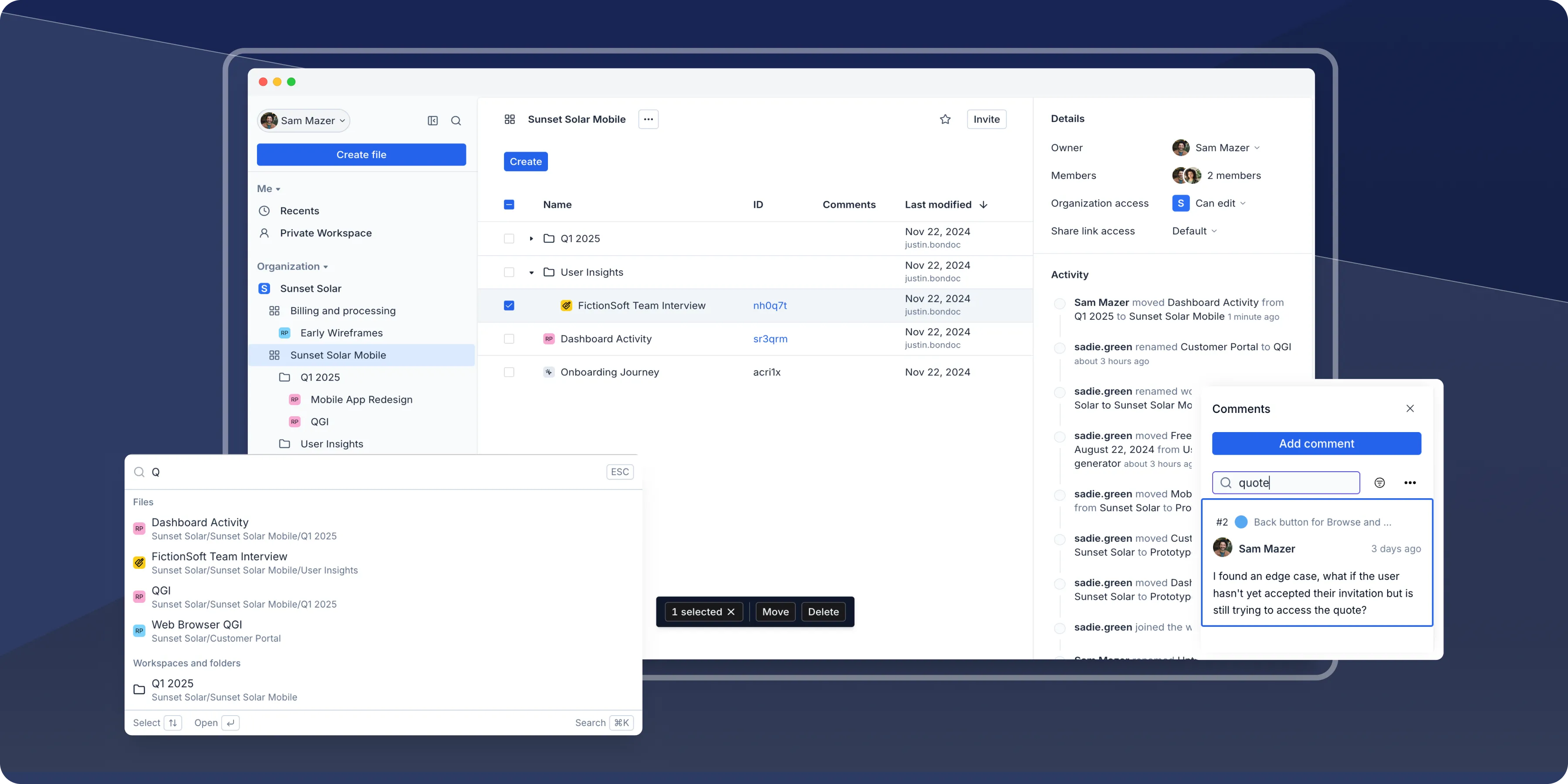
Axure Cloud now features a refreshed design with improved visual appeal and more intuitive navigation for a better overall user experience
Performance improvements
We've rebuilt parts of the platform's architecture to improve speed and responsiveness, ensuring a smoother experience for all users.
Improvements (7)
- Quick search (Cmd+K on Mac, Ctrl+K on Windows) to quickly locate files, folders, and workspaces
- Recent files added to sidebar for quick access
- Enhanced comment functionality with search and sort capabilities
- Browse Workspaces feature to find and join organization workspaces
- Revamped activity feed to highlight important events
- Ability to move workspaces between organizations
- Centralized settings into a single page
- New "locate in sidebar" action: A new action under the options
...menu to locate the selected workspace, project, or folder directly within the sidebar - Drag and drop to reorder files within a workspace however you like
- Nest files within other files
- Rename files with fewer restrictions-special character and naming limits have been removed
- Shift+click to select multiple files
New flow for creating files in workspaces
Feature updates, security improvements, and bug fixes for Axure Cloud
Improvements (2)
- New flow of creating files in workspaces
- Accepting a workspace invite now takes you to the workspace
Bug fixes (9)
- Fixes issue where certain workspaces would incorrectly appear or be missing
- Fixes collapse sidebar shortcut key Option + [] (Mac), Ctrl + [] (Windows) not working
- Fixes pan and zoom events in whiteboards/documents to work on tablet devices
- Fixes selection area to properly select rotated objects in whiteboards
- Fixes Quick Insert icons defaulting to an empty search state
- Fixes comment appearing in wrong location in whiteboards when pasting the comment link
- Fixes issue where repeatedly clicking on the table controls would freeze the document
- Fixes rendering table column controls
- Fixes signing in to comment on Jira embedded prototypes not working
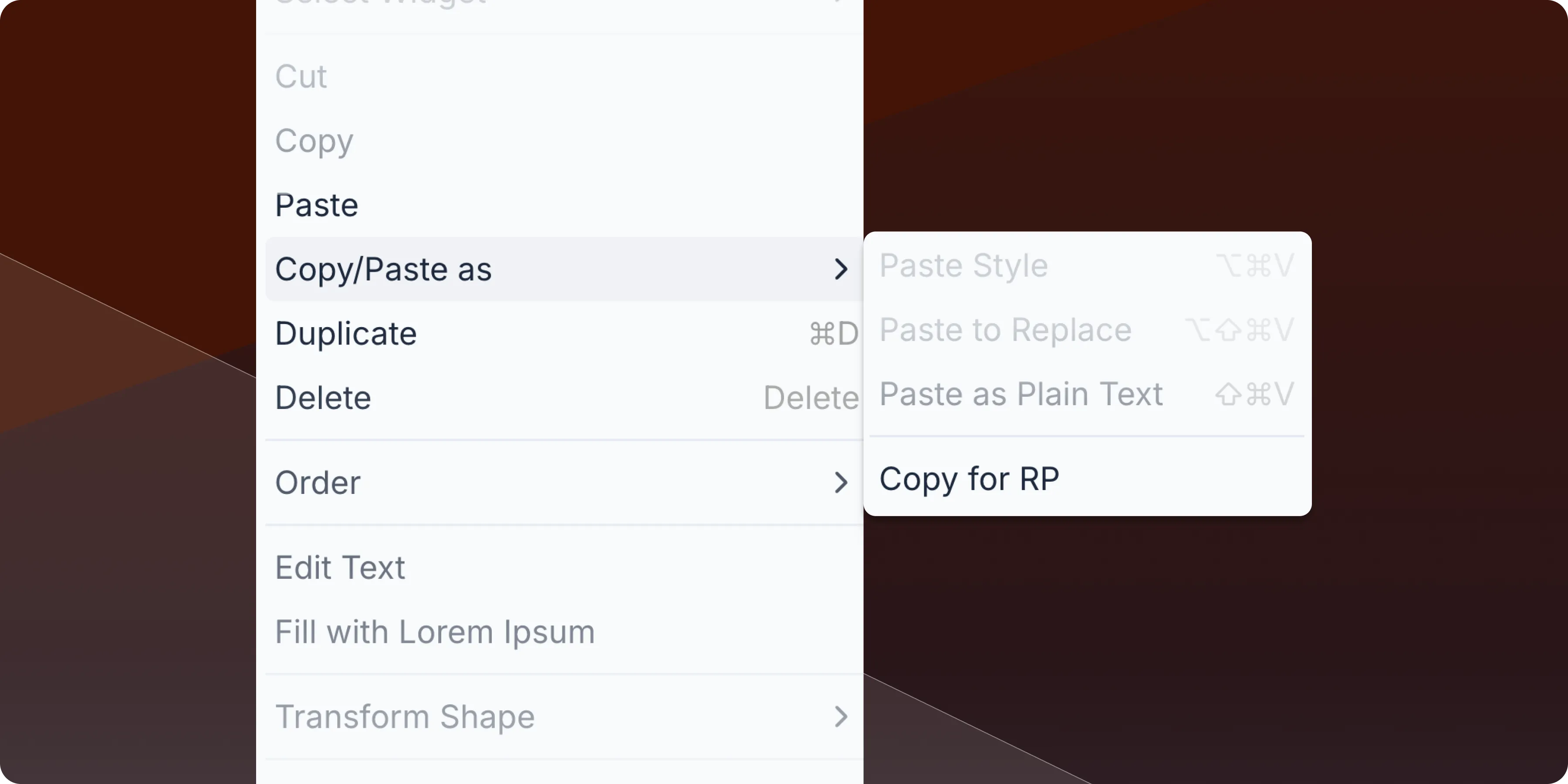
Copy and paste content between whiteboards and Axure RP 10 and RP 11 using "Copy for RP" command in whiteboards (requires latest RP build)
Improvements (2)
- Breadcrumb navigation - Navigate through your nested file structure with consistent breadcrumb navigation that appears across all file types, making it easy to understand where you are and jump back to parent files.
- Automatic title sync - Document and whiteboard titles now automatically sync with file names when you make changes, keeping your content consistent and eliminating the need to update titles in multiple places.
Bug fixes (2)
- Fixes navigating through the quick insert menu when using the keyboard directional keys
- Fixes embedded links not playing in documents
Axure Cloud for Business
Bug fixes (1)
- Fixes error where Clickthrough files would not show a correct error message when creating them
Axure RP
Improvements (1)
- Use quick insert within a group or panel to insert into the group/panel
Bug fixes (9)
- Fixes issue where certain workspaces would incorrectly appear or be missing
- Fixes collapse sidebar shortcut key Option + [] (Mac), Ctrl + [] (Windows) not working
- Fixes pan and zoom events in whiteboards/documents to work on tablet devices
- Fixes selection area to properly select rotated objects in whiteboards
- Fixes Quick Insert icons defaulting to an empty search state
- Fixes comment appearing in wrong location in whiteboards when pasting the comment link
- Fixes issue where repeatedly clicking on the table controls would freeze the document
- Fixes rendering table column controls
- Fixes signing in to comment on Jira embedded prototypes not working
Axure Cloud
Improvements (1)
- "Download" option is now available for RP team projects/libraries in options menu
Bug fixes (3)
- Fixes Last modified column to show the last author who edited a Document/Whiteboard project
- Fixes files not expanding in "Browse workspaces" view
- Fixes Slack/Microsoft Teams notifications not working
Axure Cloud for Business
Bug fixes (2)
- Fixes deactivated users appearing in "Invite workspace" dialog
- Fixes RP viewers able to duplicate RP projects
Documents and Whiteboards are now available in Axure Cloud
Axure Documents and Whiteboards are now available in Axure Cloud. They are currently in beta and are free to use!
If you've ever wished that your Axure RP prototypes, product documentation, and online whiteboards could be in one place, you can finally make that a reality. Axure Documents and Whiteboards are now available in Axure Cloud. They are currently in beta and are free to use. So the next time you want to document product requirements or have a brainstorming session, give them a try! We've been using them for the past six months and can't imagine going back.
Creating documents and whiteboards
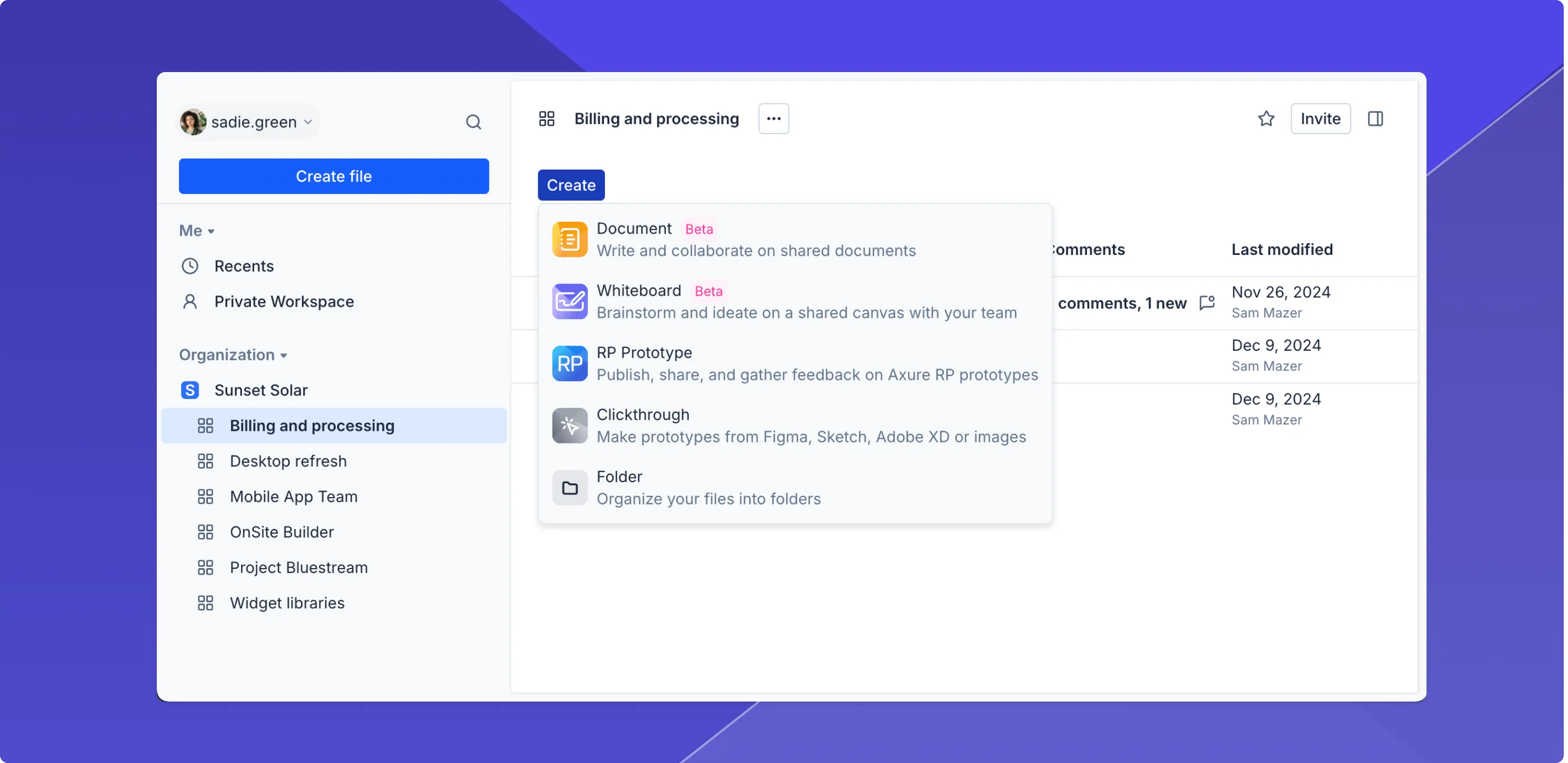
When you click the Create button in your workspace, you'll see options to create a new document or whiteboard. They'll be added to your workspace just like RP projects.
Writing product documentation
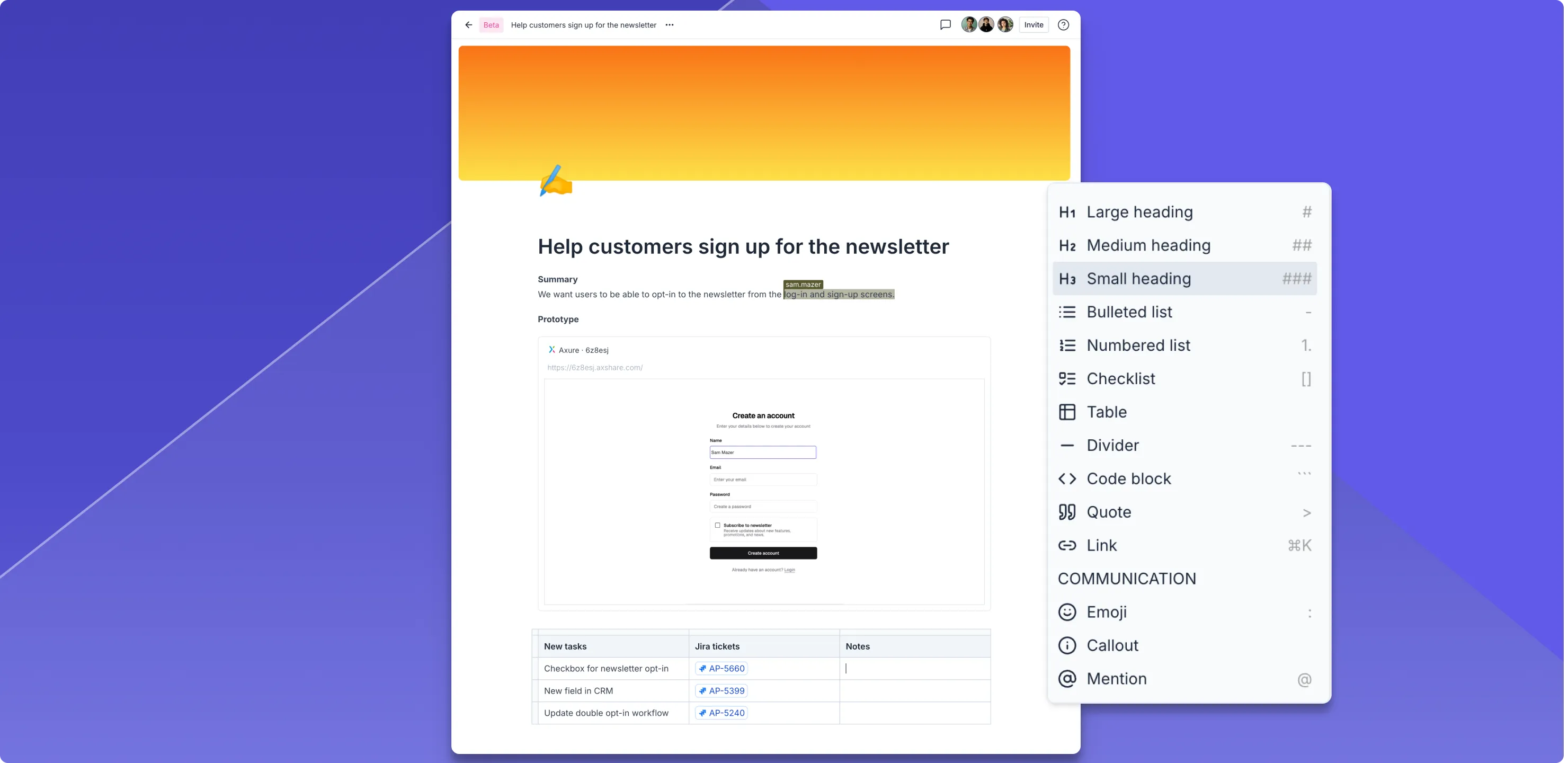
Axure Documents are a great place to write, collaborate, and communicate with your team. Whether you're writing a PRD, creating a knowledge base, or keeping notes and checklists, you can use the building blocks to do it simply and efficiently. That includes embedding RP prototypes in your documents. When you create your first document, click on "Welcome to Axure Documents" for a quick tutorial.
Collaborating with whiteboards
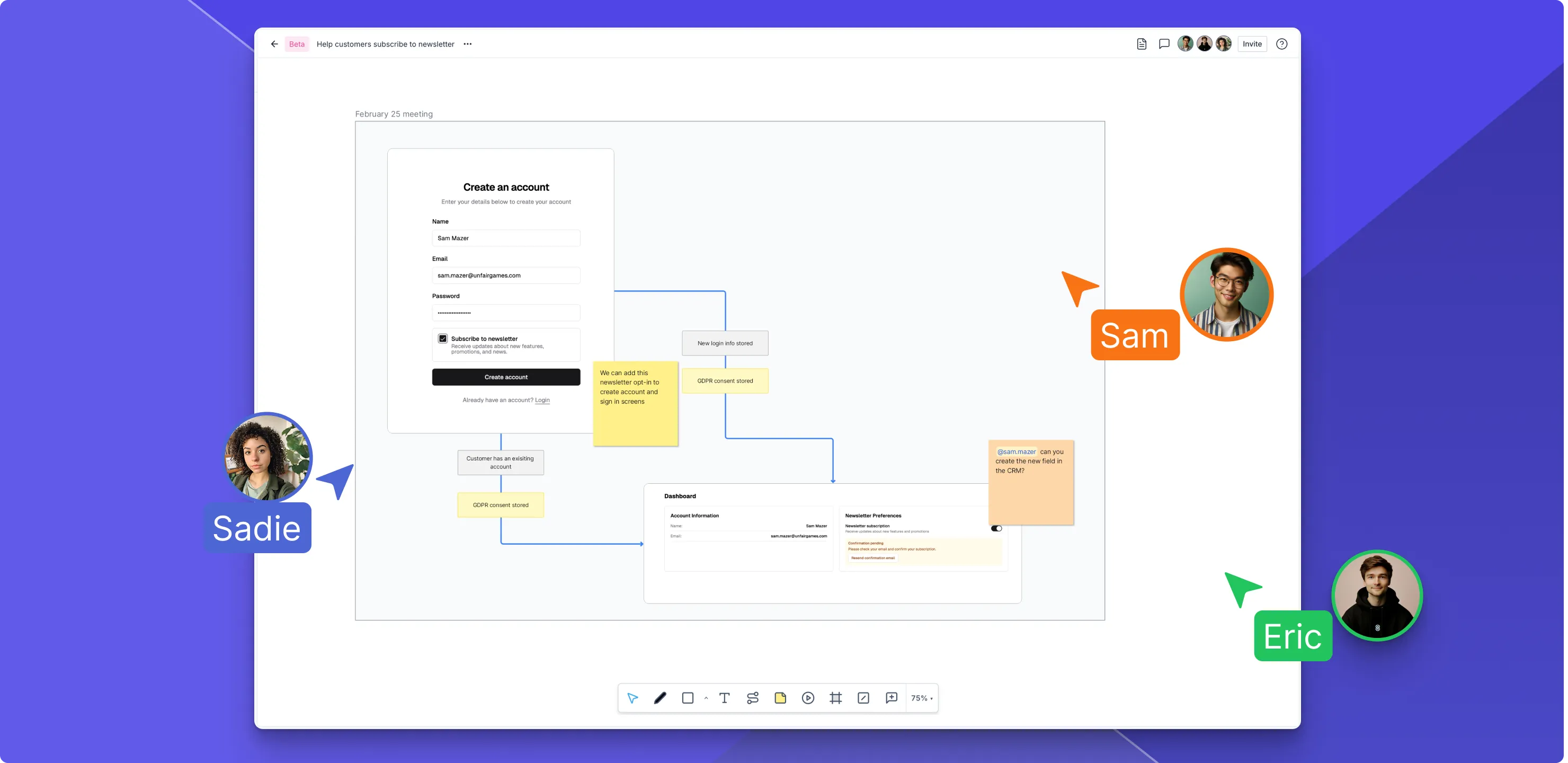
Axure Whiteboards are the perfect place to write, draw, and collaborate with your team. With a canvas and document side-by-side, Axure Whiteboards make it easy to brainstorm, diagram, and share ideas visually on the canvas while keeping agendas, goals, and other important information organized in the document. Try embedding an RP prototype on the canvas for a review session or to consolidate assets for development.
Organizing RP projects, docs, and whiteboards
In the new Axure Cloud, you can organize your files the way you want. Just drag and drop files in the new sidebar or within a workspace to change the order of your files, add them to folders, and even make them children of each other.

Improvements (2)
- A "Cloud role" added to manage users' permissions for creating and editing whiteboards and documents.
- Added ability to copy link to options menu ... of files.
Bug fixes (2)
- Fixes exporting to the Axure Cloud desktop app from Figma/Sketch/XD remembering previously selected project
- Fixes linking to external URLs in clickthrough projects
Axure Cloud for Business
Improvements (1)
- New Billing page shows the active subscription assigned to the domain
Looking for older releases?
This changelog covers our recent updates and improvements. You can find detailed release notes and download links for older versions of Axure RP 10 and earlier on our release history page.
View release history