Changelog
On-premises update with authentication improvements
Axure Cloud for Business On-Premises 2.0.0.445
Bug fixes (1)
- Fixes switching from LDAP/AD to Default authentication
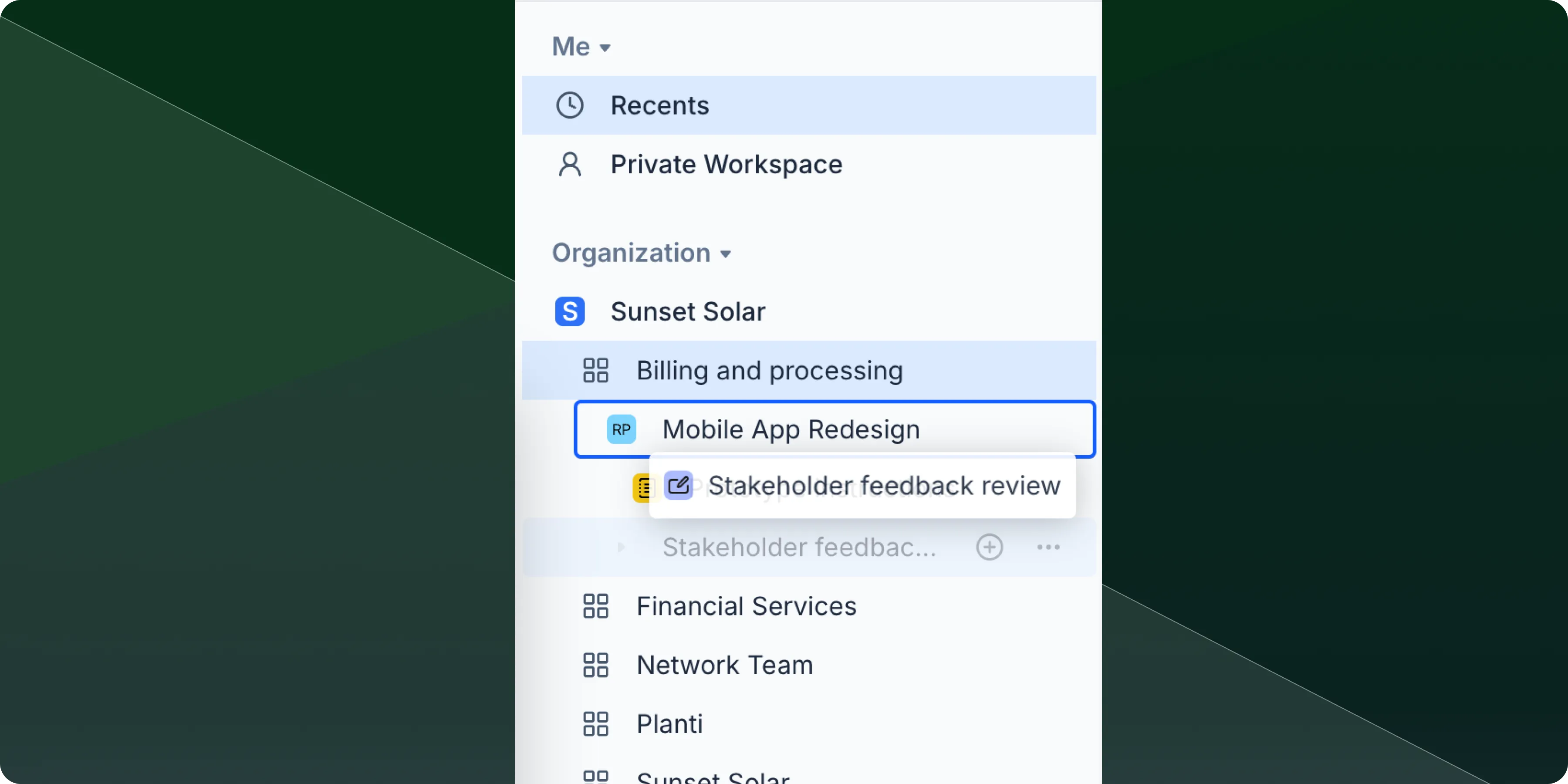
You can now drag and drop files to reorder them within your workspace, nest files within other files, and rename files with fewer restrictions
File ordering
Drag any file in your workspace to reorder your file list exactly how you want it. Files will maintain their new position until you move them again.
File nesting
Drop one file onto another to create nested file structures. This helps you group related files together and keep your workspace organized, especially useful for projects with multiple documents or when you want to create file hierarchies that match your workflow.
File renaming
Rename your files with more flexibility as we've removed special character restrictions and naming limits. Use the naming conventions that work best for your workflow.
Improvements (1)
- Multi-select - Hold Shift and click to select multiple files at once, making it easier to organize, move, or perform bulk actions on several files simultaneously.
Bug fixes (1)
- Fixes issue where team projects would not revert to previous version
On-premises update with custom HTTP header support
Axure Cloud for Business On-Premises 2.0.0.444
Improvements (1)
- Added configuration setting to add custom HTTP response headers
Bug fixes (2)
- Fixes Download option on projects not available until after refresh
- Fixes "Copy Link to Comment" not working
Axure Cloud
Bug fixes (2)
- Fixes search not working with different languages
- Fixes exporting to the Cloud Desktop App using "Select existing" option
Axure Cloud for Business
Improvements (1)
- Ability to upload .cert files for SSO setups
On-premises installation fix for different regions
Axure Cloud for Business On Premises 2.0.0.443
Bug fixes (1)
- Fixes installs failing in different regions due to NT Authority Network Service
Improvements (2)
- Signing in to Axure Cloud now automatically authenticates Axure RP, eliminating the need to sign in separately to both applications
- A new action under the options ... menu to locate any workspace, file, or folder within the sidebar.
Bug fixes (3)
- Fixed issue where users can get null passwords through inviting non-org users to workspaces
- Fixed Recents section missing the options ... menu
- Fixed workspace missing when favorited from the "Shared with me" section
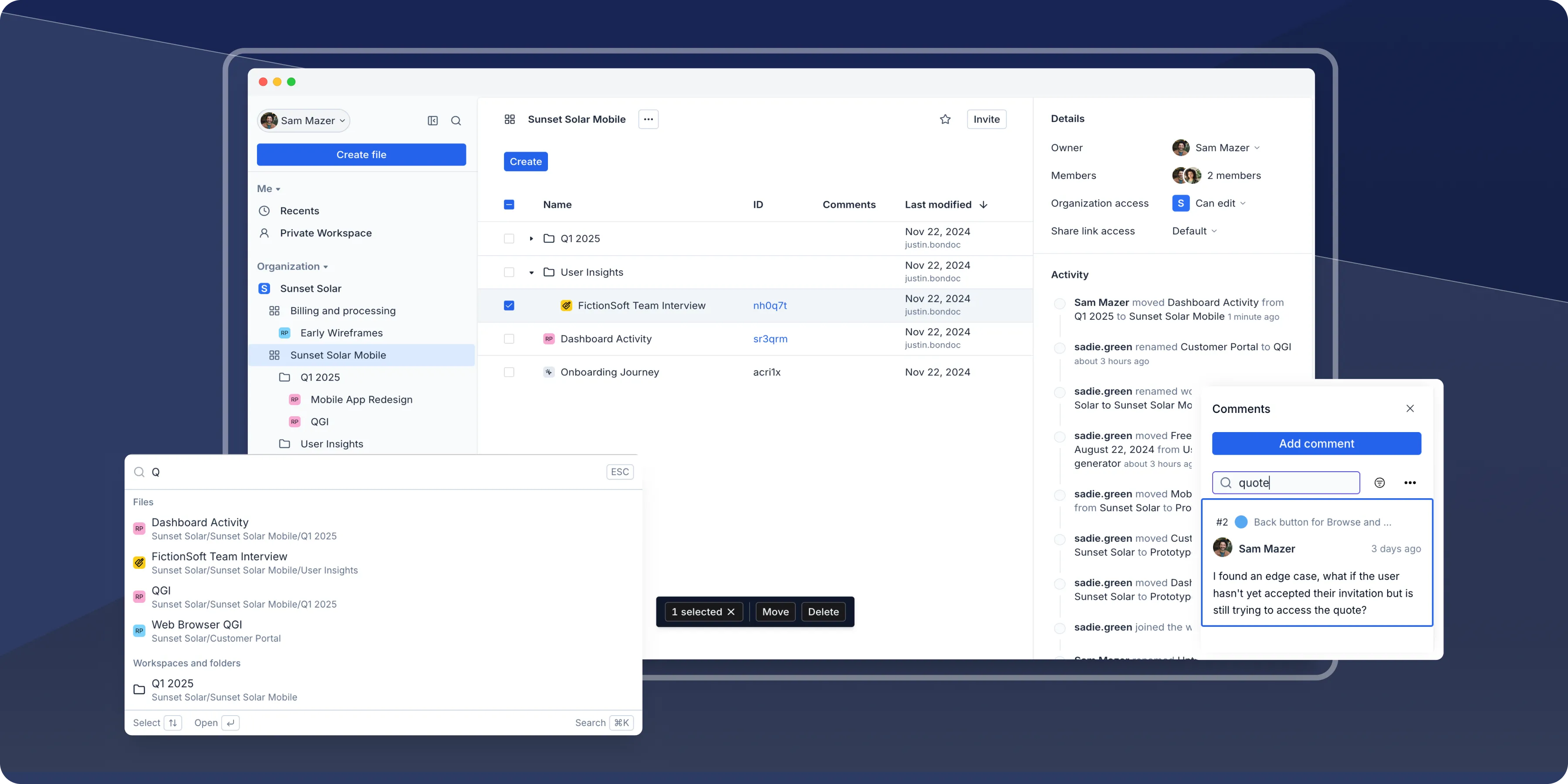
A modern design that helps you move faster
We're thrilled to announce a major refresh to Axure Cloud, featuring a fresh design and significant improvements under the hood. We've rebuilt key parts of the platform's architecture to ensure a snappier experience—making it easier than ever to manage prototypes, access files, and collaborate with your team.
Enhanced sidebar
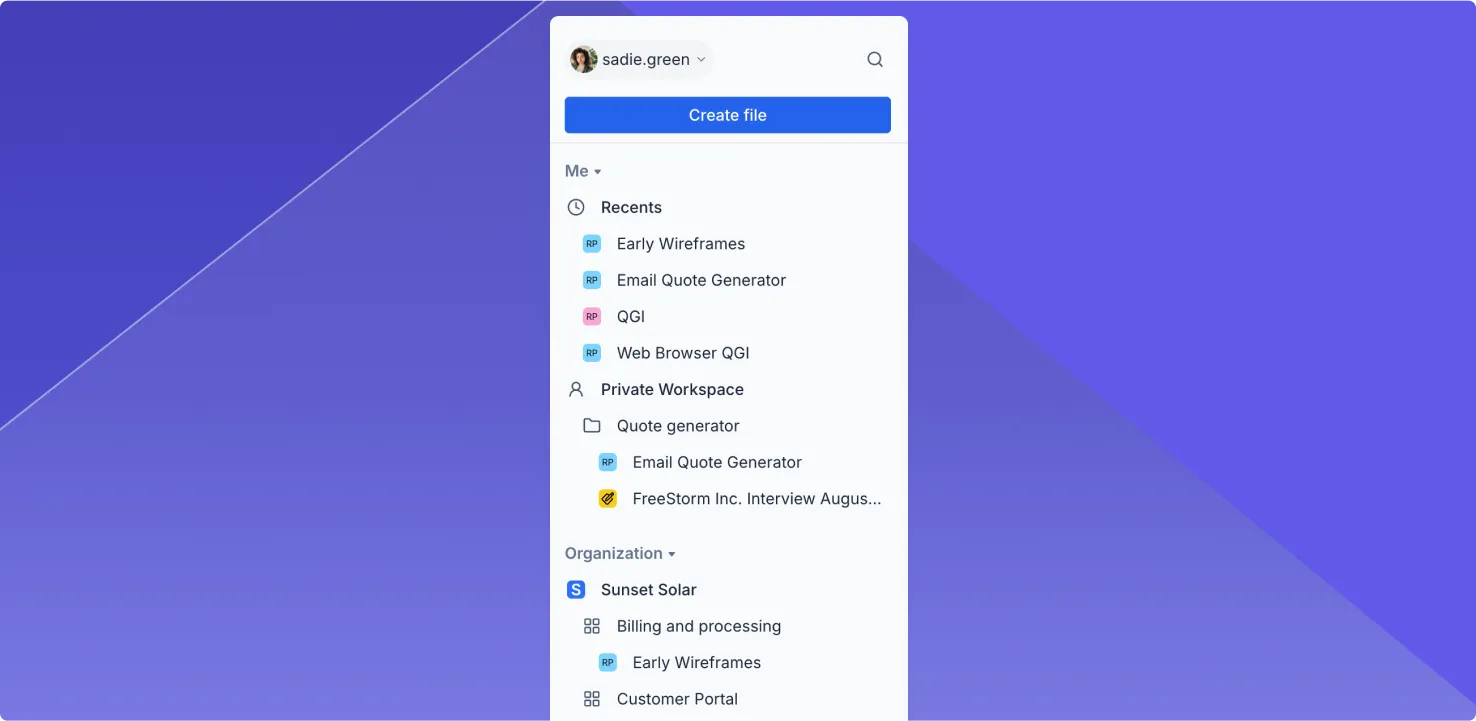
Use the new sidebar to quickly find and access your work. You can get to your recent files at the top and jump to files in workspaces directly from the sidebar.
Quick search (Cmd+K or Ctrl+K)
Finding a prototype or file is now just a keystroke away. Use the Cmd + K shortcut on Mac or Ctrl + K on Windows to quickly search for files, folders, and workspaces.

Search and sort comments
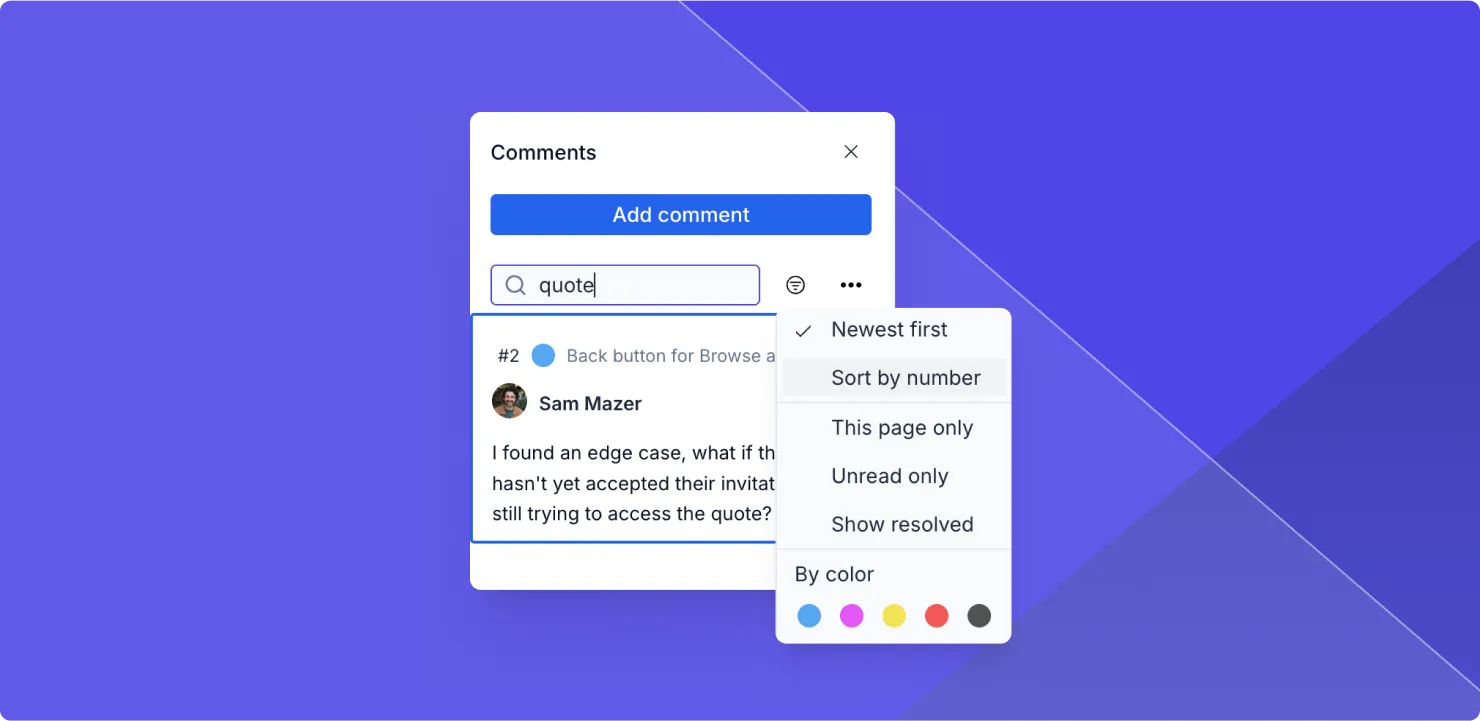
Now you can search and sort through comments on your prototypes to find exactly what you're looking for. Quickly find feedback, organize discussions, and follow up on unresolved threads.
Browse and join workspaces
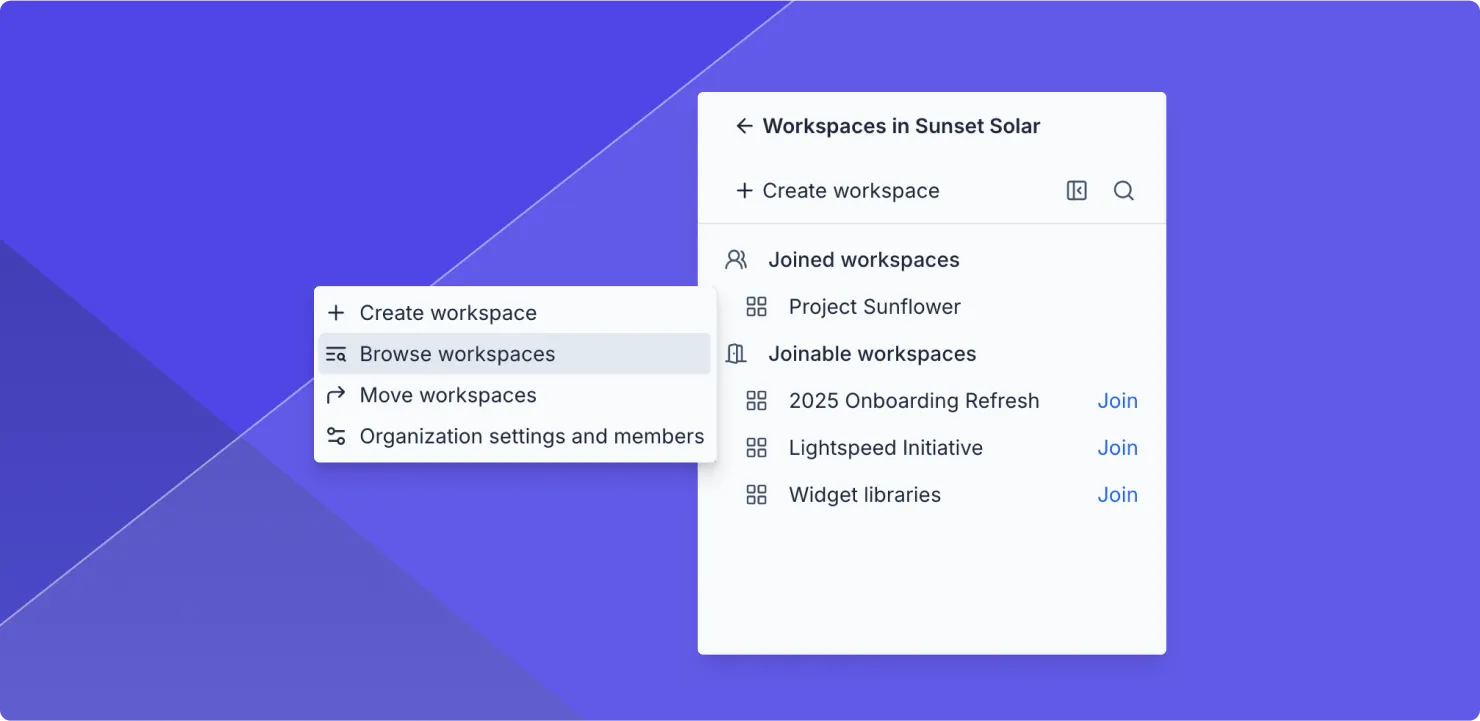
Use the new Browse Workspaces feature to easily find and join workspaces in your organization. You'll see a list of joinable workspaces in your organization and a button to quickly join the ones you want.
- Faster performance: This update isn't just about a fresh look—it's about speed. We've rebuilt parts of the underlying architecture to boost performance.
- Refreshed activity feed: The refreshed activity feed highlights important events, making it easy to stay updated. So you can quickly focus on important changes.
- Move workspaces: You can now move workspaces between organizations—a perfect solution for teams looking to consolidate their work into a single organization.
- Streamlined settings: All settings and account management are now centralized on one page, combining profiles and organization settings
Coming soon: Docs and Whiteboards
This redesign modernizes Axure Cloud and paves the way for exciting new tools for product management and design including Docs and Whiteboards, expected to be in public beta early next year.
Improvements (7)
- Quick search (Cmd+K on Mac, Ctrl+K on Windows) to quickly locate files, folders, and workspaces
- Recent files added to sidebar for quick access
- Enhanced comment functionality with search and sort capabilities
- Browse Workspaces feature to find and join organization workspaces
- Revamped activity feed to highlight important events
- Ability to move workspaces between organizations
- Centralized settings into a single page
Looking for older releases?
This changelog covers our recent updates and improvements. You can find detailed release notes and download links for older versions of Axure RP 10 and earlier on our release history page.
View release history