Changelog
Axure RP
Improvements (1)
- Use quick insert within a group or panel to insert into the group/panel
Bug fixes (9)
- Fixes issue where certain workspaces would incorrectly appear or be missing
- Fixes collapse sidebar shortcut key Option + [] (Mac), Ctrl + [] (Windows) not working
- Fixes pan and zoom events in whiteboards/documents to work on tablet devices
- Fixes selection area to properly select rotated objects in whiteboards
- Fixes Quick Insert icons defaulting to an empty search state
- Fixes comment appearing in wrong location in whiteboards when pasting the comment link
- Fixes issue where repeatedly clicking on the table controls would freeze the document
- Fixes rendering table column controls
- Fixes signing in to comment on Jira embedded prototypes not working
Axure Cloud
Improvements (1)
- "Download" option is now available for RP team projects/libraries in options menu
Bug fixes (3)
- Fixes Last modified column to show the last author who edited a Document/Whiteboard project
- Fixes files not expanding in "Browse workspaces" view
- Fixes Slack/Microsoft Teams notifications not working
Axure Cloud for Business
Bug fixes (2)
- Fixes deactivated users appearing in "Invite workspace" dialog
- Fixes RP viewers able to duplicate RP projects
Documents and Whiteboards are now available in Axure Cloud
Axure Documents and Whiteboards are now available in Axure Cloud. They are currently in beta and are free to use!
If you've ever wished that your Axure RP prototypes, product documentation, and online whiteboards could be in one place, you can finally make that a reality. Axure Documents and Whiteboards are now available in Axure Cloud. They are currently in beta and are free to use. So the next time you want to document product requirements or have a brainstorming session, give them a try! We've been using them for the past six months and can't imagine going back.
Creating documents and whiteboards
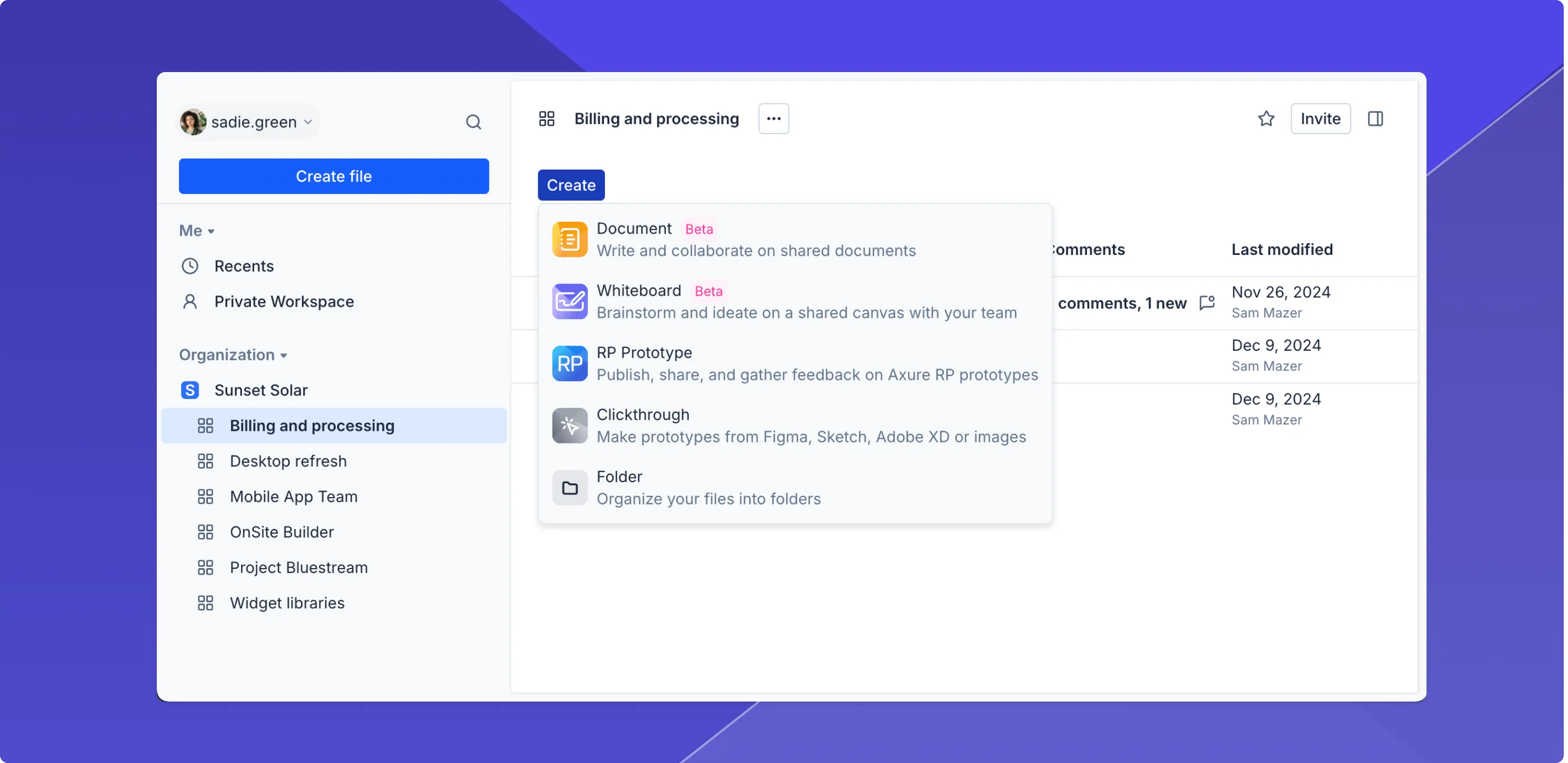
When you click the Create button in your workspace, you'll see options to create a new document or whiteboard. They'll be added to your workspace just like RP projects.
Writing product documentation
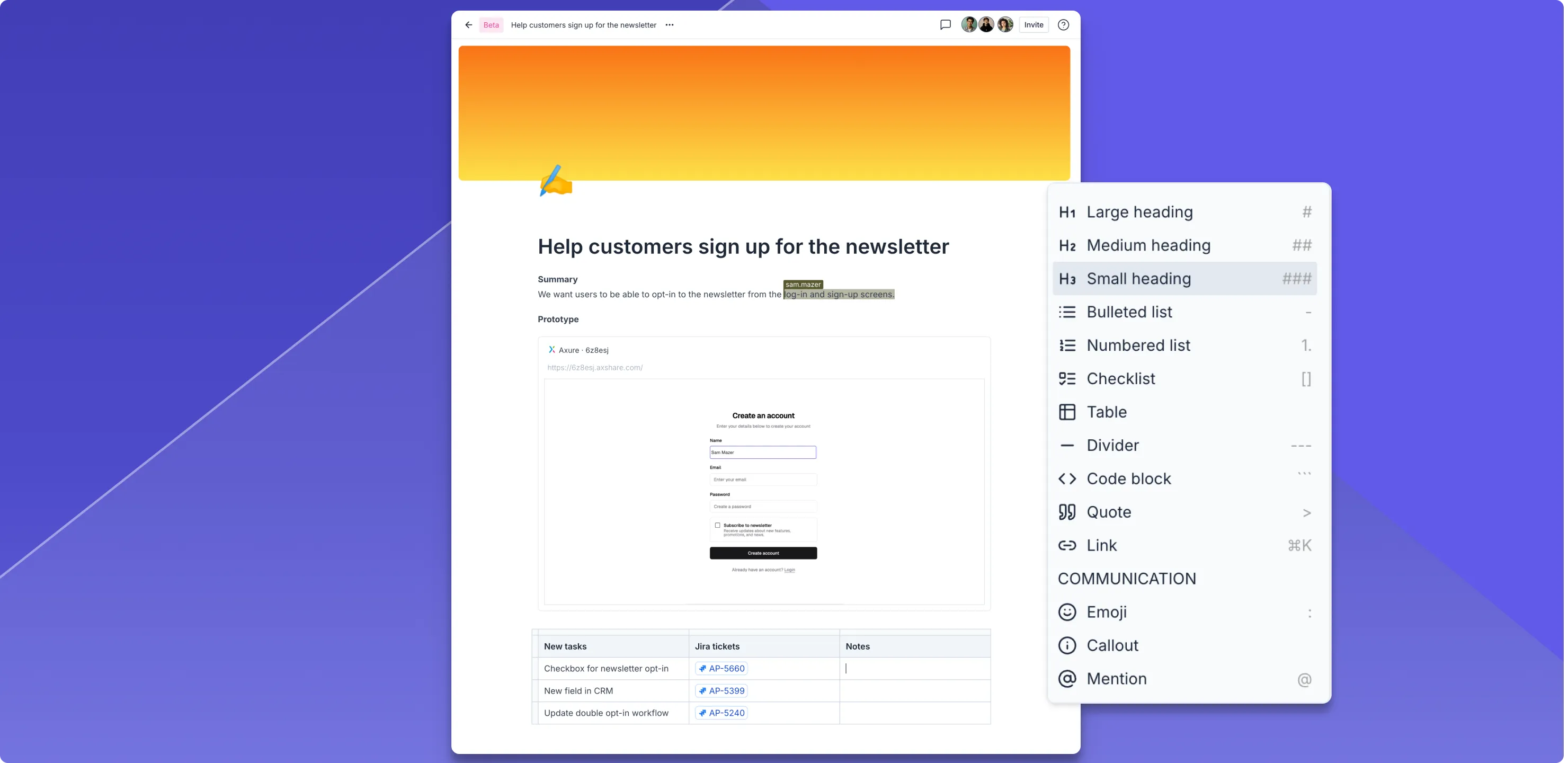
Axure Documents are a great place to write, collaborate, and communicate with your team. Whether you're writing a PRD, creating a knowledge base, or keeping notes and checklists, you can use the building blocks to do it simply and efficiently. That includes embedding RP prototypes in your documents. When you create your first document, click on "Welcome to Axure Documents" for a quick tutorial.
Collaborating with whiteboards
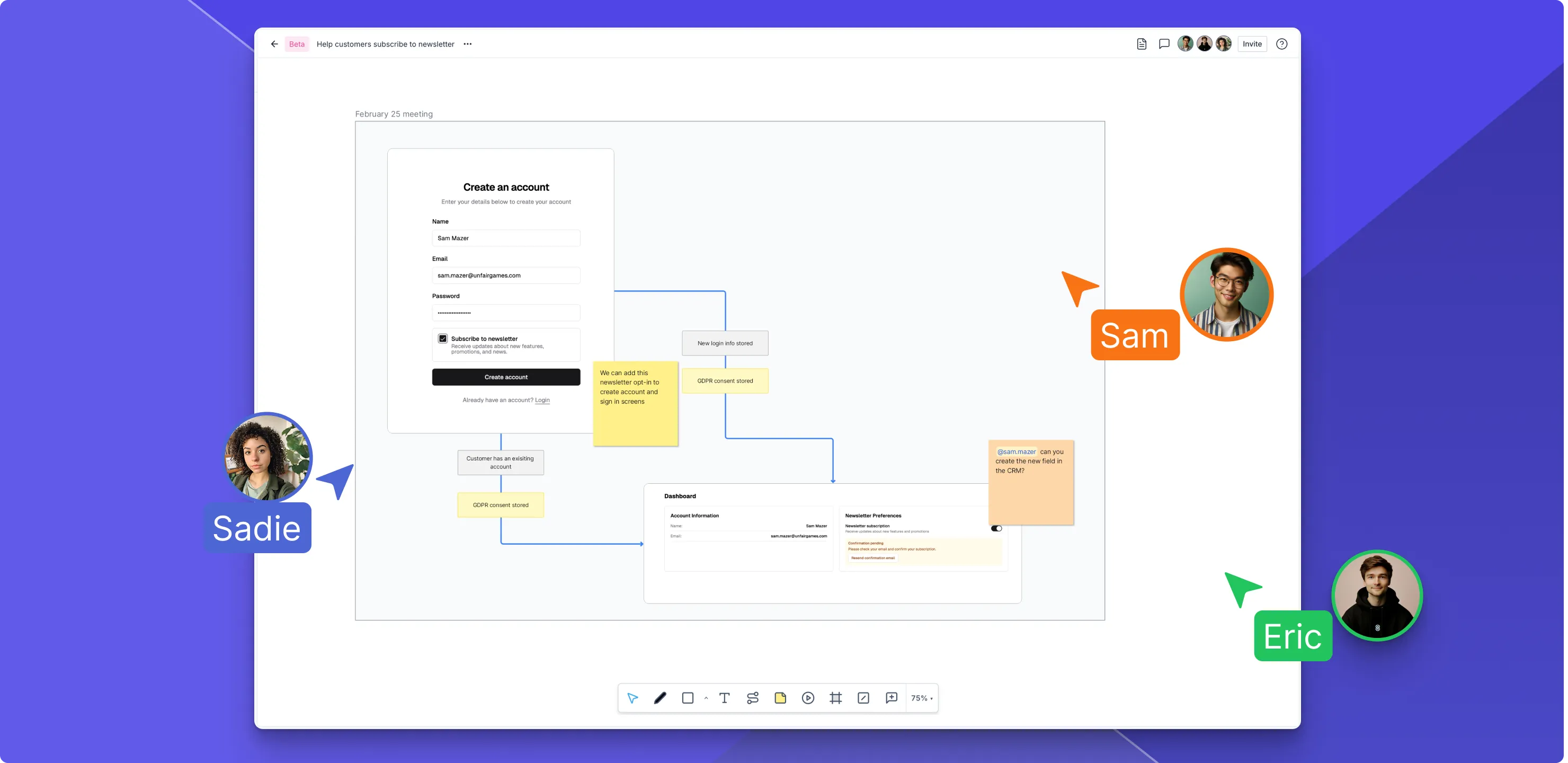
Axure Whiteboards are the perfect place to write, draw, and collaborate with your team. With a canvas and document side-by-side, Axure Whiteboards make it easy to brainstorm, diagram, and share ideas visually on the canvas while keeping agendas, goals, and other important information organized in the document. Try embedding an RP prototype on the canvas for a review session or to consolidate assets for development.
Organizing RP projects, docs, and whiteboards
In the new Axure Cloud, you can organize your files the way you want. Just drag and drop files in the new sidebar or within a workspace to change the order of your files, add them to folders, and even make them children of each other.

Improvements (2)
- A "Cloud role" added to manage users' permissions for creating and editing whiteboards and documents.
- Added ability to copy link to options menu ... of files.
Bug fixes (2)
- Fixes exporting to the Axure Cloud desktop app from Figma/Sketch/XD remembering previously selected project
- Fixes linking to external URLs in clickthrough projects
Axure Cloud for Business
Improvements (1)
- New Billing page shows the active subscription assigned to the domain
On-premises update with authentication improvements
Axure Cloud for Business On-Premises 2.0.0.445
Bug fixes (1)
- Fixes switching from LDAP/AD to Default authentication
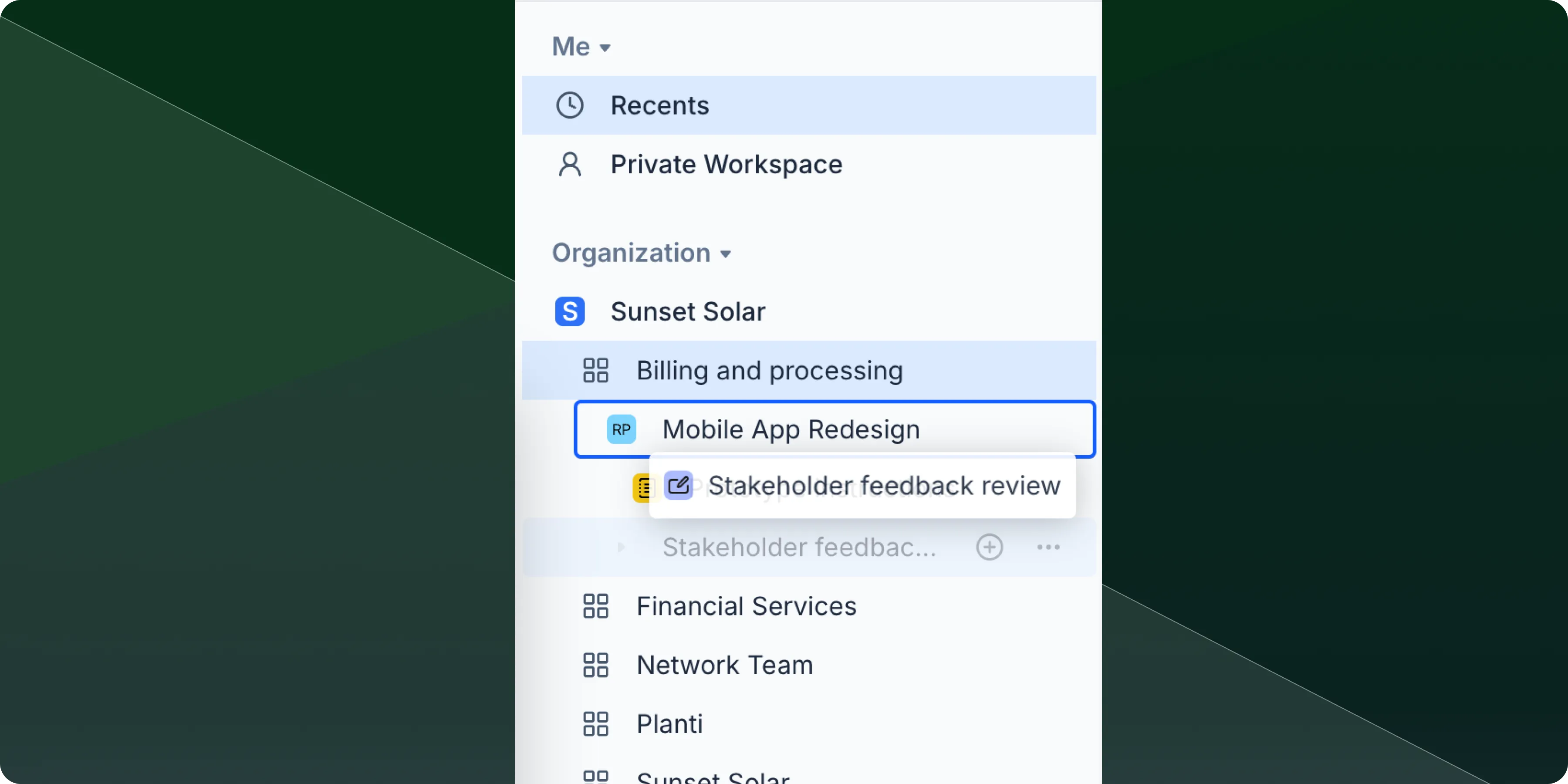
You can now drag and drop files to reorder them within your workspace, nest files within other files, and rename files with fewer restrictions
File ordering
Drag any file in your workspace to reorder your file list exactly how you want it. Files will maintain their new position until you move them again.
File nesting
Drop one file onto another to create nested file structures. This helps you group related files together and keep your workspace organized, especially useful for projects with multiple documents or when you want to create file hierarchies that match your workflow.
File renaming
Rename your files with more flexibility as we've removed special character restrictions and naming limits. Use the naming conventions that work best for your workflow.
Improvements (1)
- Multi-select - Hold Shift and click to select multiple files at once, making it easier to organize, move, or perform bulk actions on several files simultaneously.
Bug fixes (1)
- Fixes issue where team projects would not revert to previous version
On-premises update with custom HTTP header support
Axure Cloud for Business On-Premises 2.0.0.444
Improvements (1)
- Added configuration setting to add custom HTTP response headers
Bug fixes (2)
- Fixes Download option on projects not available until after refresh
- Fixes "Copy Link to Comment" not working
Axure Cloud
Bug fixes (2)
- Fixes search not working with different languages
- Fixes exporting to the Cloud Desktop App using "Select existing" option
Axure Cloud for Business
Improvements (1)
- Ability to upload .cert files for SSO setups
On-premises installation fix for different regions
Axure Cloud for Business On Premises 2.0.0.443
Bug fixes (1)
- Fixes installs failing in different regions due to NT Authority Network Service
Looking for older releases?
This changelog covers our recent updates and improvements. You can find detailed release notes and download links for older versions of Axure RP 10 and earlier on our release history page.
View release history