Changelog
Improvements (2)
- Signing in to Axure Cloud now automatically authenticates Axure RP, eliminating the need to sign in separately to both applications
- A new action under the options ... menu to locate any workspace, file, or folder within the sidebar.
Bug fixes (3)
- Fixed issue where users can get null passwords through inviting non-org users to workspaces
- Fixed Recents section missing the options ... menu
- Fixed workspace missing when favorited from the "Shared with me" section
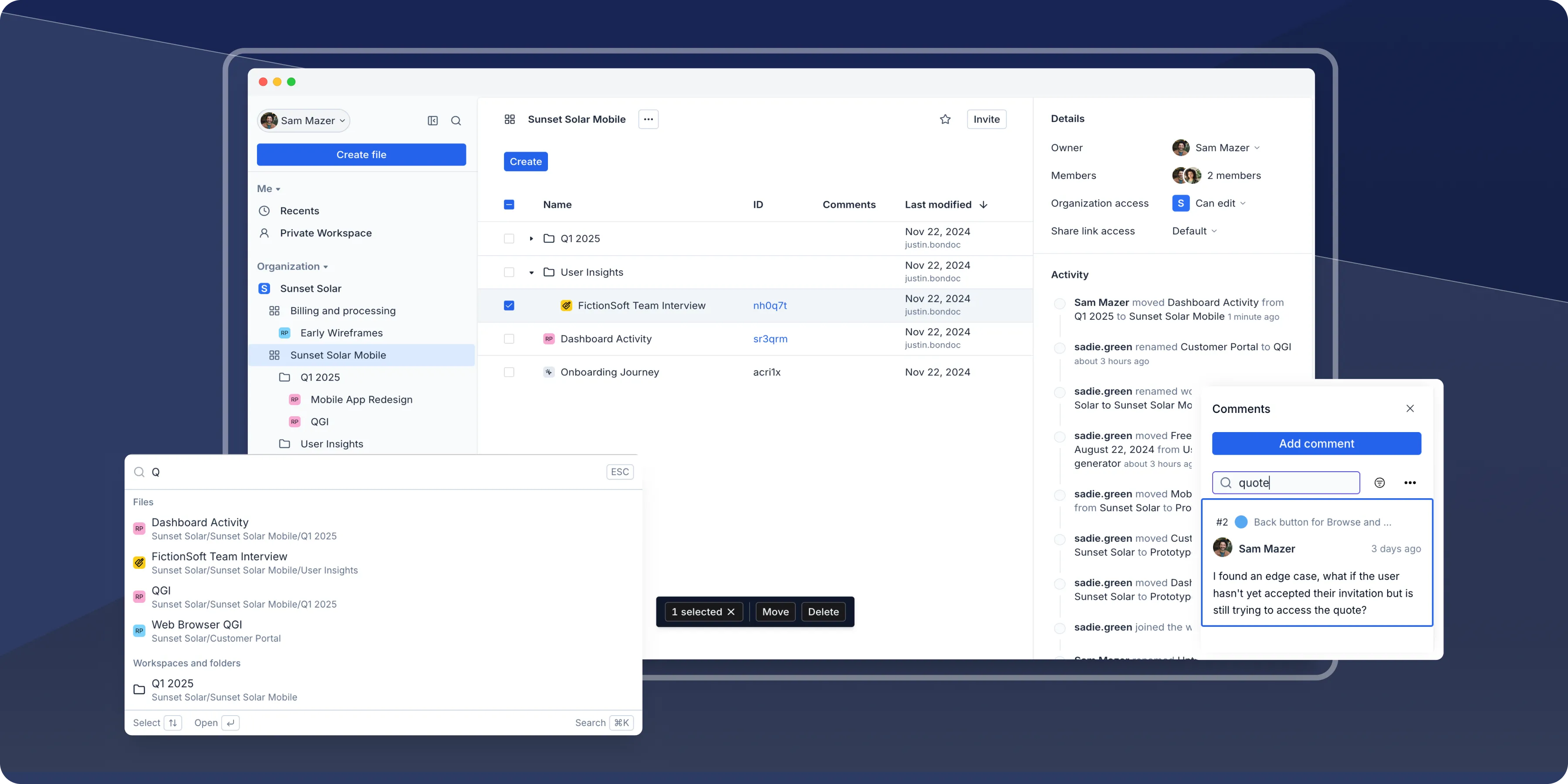
A modern design that helps you move faster
We're thrilled to announce a major refresh to Axure Cloud, featuring a fresh design and significant improvements under the hood. We've rebuilt key parts of the platform's architecture to ensure a snappier experience—making it easier than ever to manage prototypes, access files, and collaborate with your team.
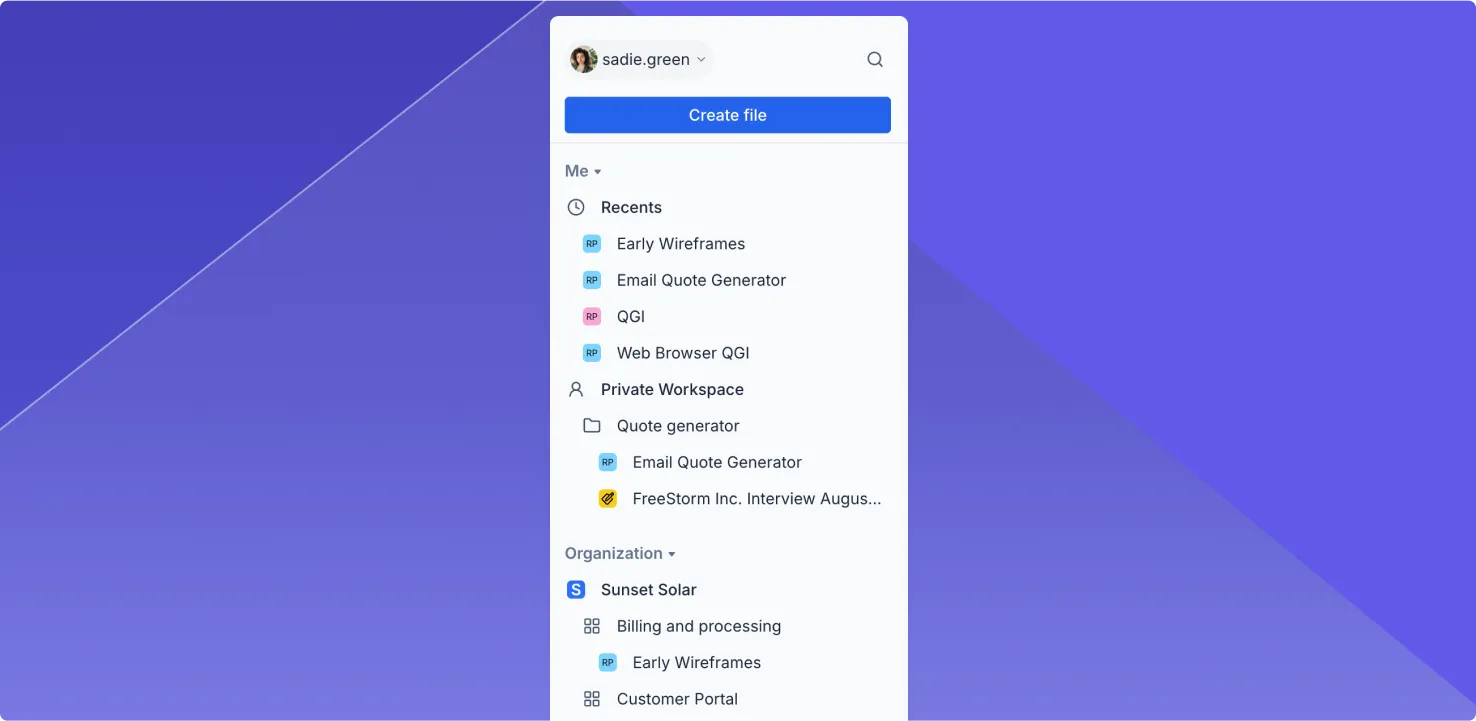
Enhanced sidebar
Use the new sidebar to quickly find and access your work. You can get to your recent files at the top and jump to files in workspaces directly from the sidebar.
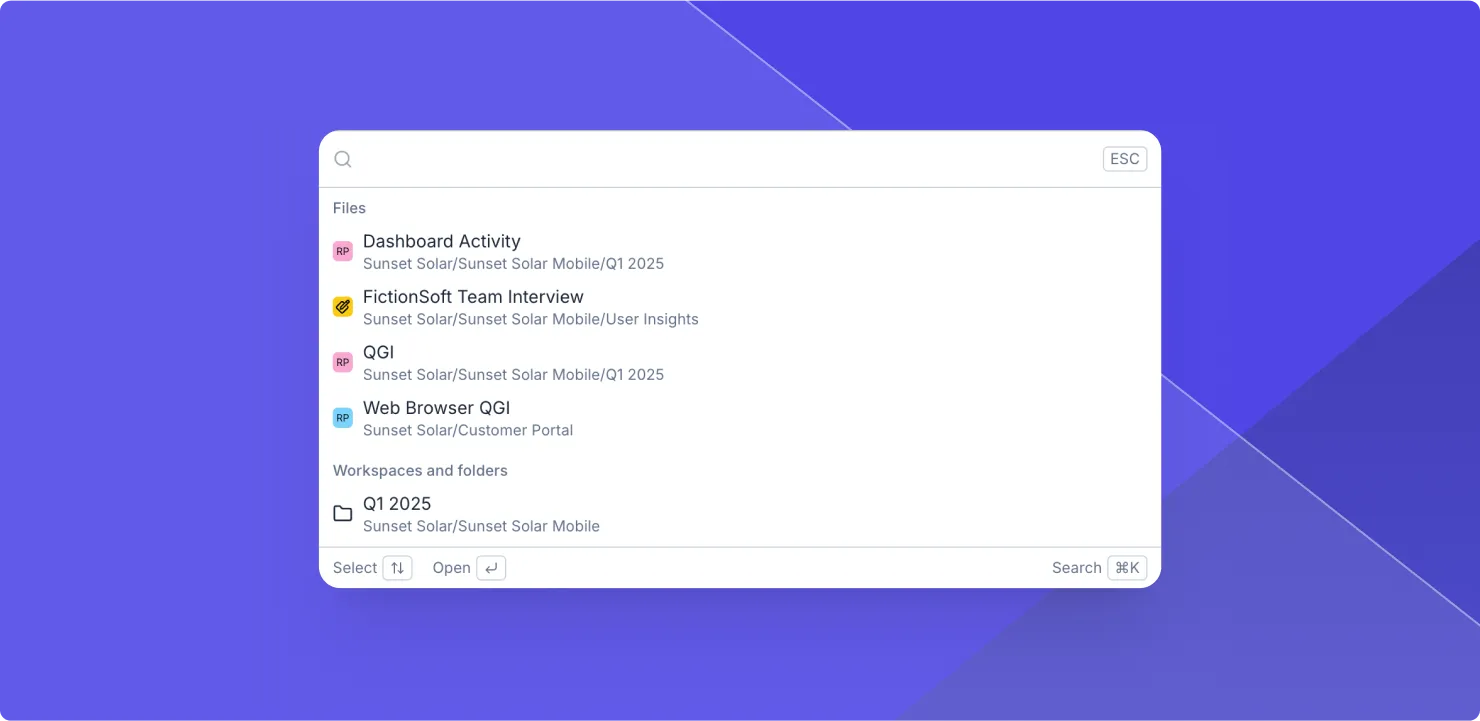
Quick search (Cmd+K or Ctrl+K)
Finding a prototype or file is now just a keystroke away. Use the Cmd + K shortcut on Mac or Ctrl + K on Windows to quickly search for files, folders, and workspaces.
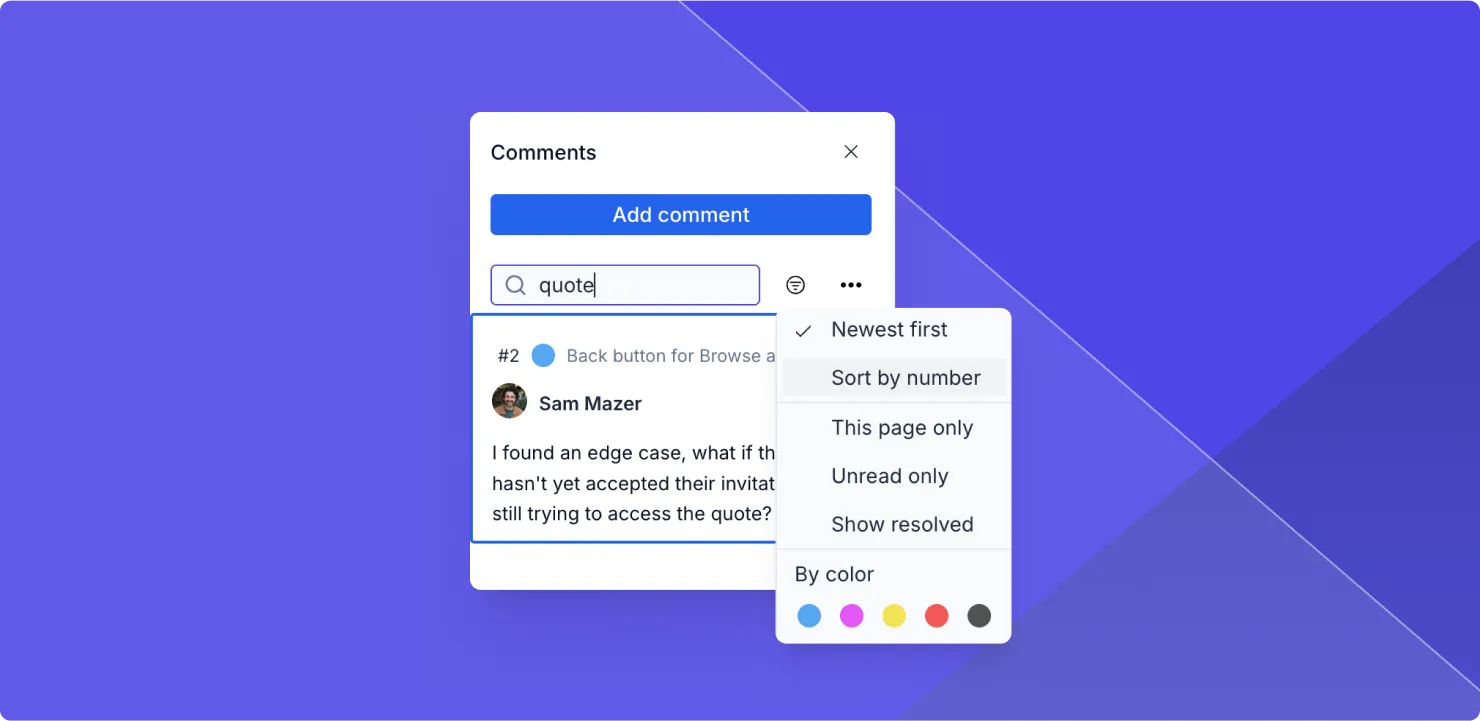
Search and sort comments
Now you can search and sort through comments on your prototypes to find exactly what you're looking for. Quickly find feedback, organize discussions, and follow up on unresolved threads.
Browse and join workspaces
Use the new Browse Workspaces feature to easily find and join workspaces in your organization. You'll see a list of joinable workspaces in your organization and a button to quickly join the ones you want.
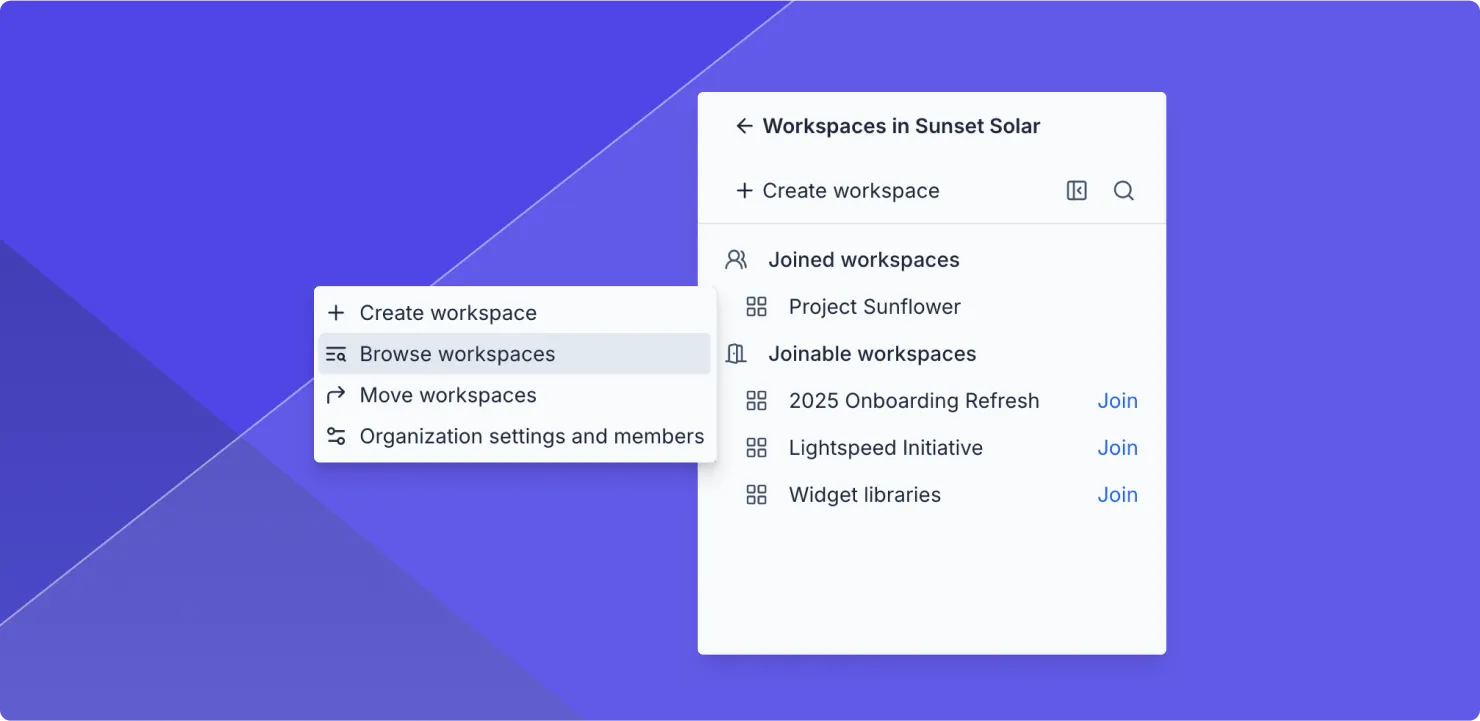
- Faster performance: This update isn't just about a fresh look—it's about speed. We've rebuilt parts of the underlying architecture to boost performance.
- Refreshed activity feed: The refreshed activity feed highlights important events, making it easy to stay updated. So you can quickly focus on important changes.
- Move workspaces: You can now move workspaces between organizations—a perfect solution for teams looking to consolidate their work into a single organization.
- Streamlined settings: All settings and account management are now centralized on one page, combining profiles and organization settings
Coming soon: Docs and Whiteboards
This redesign modernizes Axure Cloud and paves the way for exciting new tools for product management and design including Docs and Whiteboards, expected to be in public beta early next year.
Improvements (7)
- Quick search (Cmd+K on Mac, Ctrl+K on Windows) to quickly locate files, folders, and workspaces
- Recent files added to sidebar for quick access
- Enhanced comment functionality with search and sort capabilities
- Browse Workspaces feature to find and join organization workspaces
- Revamped activity feed to highlight important events
- Ability to move workspaces between organizations
- Centralized settings into a single page
Bug fixes (3)
- Fixes Apply Style not working in Components
- Fixes radio buttons having wrong Selected style
- Fixes switching Dynamic Panel states when a state contained an unlinked Inline Frame
Bug fixes (13)
- Optimizes page loading around style changes in the prototype
- Fixes push/pull not working with Components
- Fixes Dynamic Panels having wrong location when placed in a Component
- Fixes selected style getting removed after using Apply Style
- Fixes fill color opacity not working in style effects when widget also had a gradient
- Fixes page not loading when containing an empty Repeater with an Apply Style action
- Fixes border visibility and corner radius not working correctly with Apply Style
- Fixes hidden border reappearing after rounding corners and resizing widget
- Fixes grouped Text Area widget losing focus after Set Size or Move action
- Fixes Groups only scaling from the top left when targeted on a Show/Hide action
- Fixes slide/flip animations not working in certain scenarios
- Fixes focus moving to the next style when editing the Default style in Widget/Page Style Manager
- Fixes global variables resetting with inline frame and Dynamic Panel interactions
Axure RP 11 is here! 🎉
Find out What's New in 11
Looking for older releases?
This changelog covers our recent updates and improvements. You can find detailed release notes and download links for older versions of Axure RP 10 and earlier on our release history page.
View release history